Elegant Salon System
A friendly guide to running your salon on the system — no technical know-how needed. Each screen is shown below; click any picture to see it full size.
Welcome
Elegant is an all-in-one system for hair salons and spas. It keeps your members, their prepaid wallets and packages, your services, staff commissions and reports — all in one place, in English or 中文.
The system is yours: it's installed on your own server and set up for you, so there's nothing to install or configure by hand. This handbook focuses on using it day to day.
Logging in
Open your salon's web address in any browser and sign in with the username and password we set up for you. That's it — it works on a computer, tablet or phone.
- For extra safety you can turn on two-step login (a code from an app on your phone) from your user menu.
- First time in? Go to Settings → Company Settings and add your salon name, logo and contact details — these appear on your receipts and reports.
- Forgot your password? Just message us and we'll reset it safely for you.
📊Dashboard
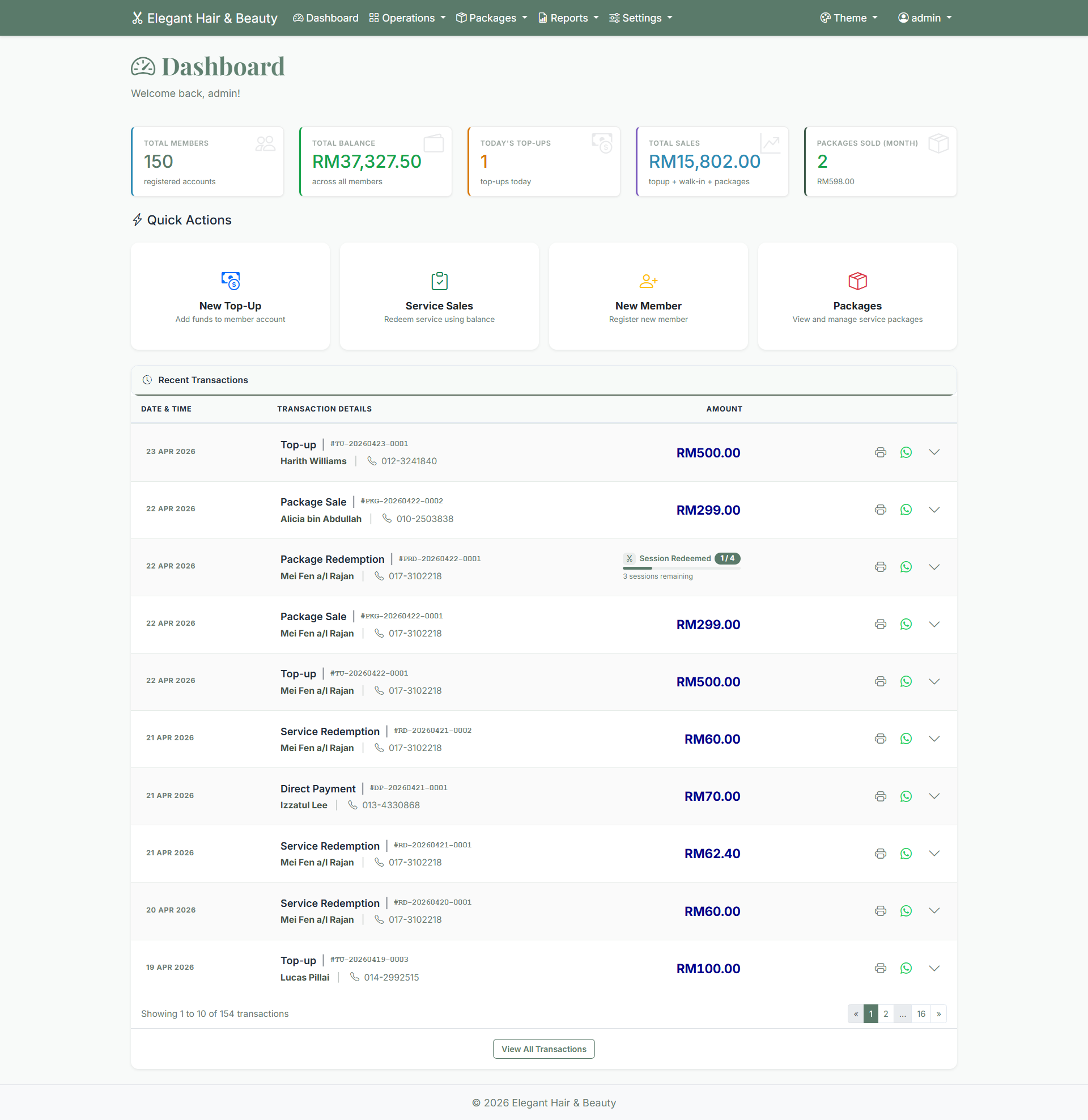
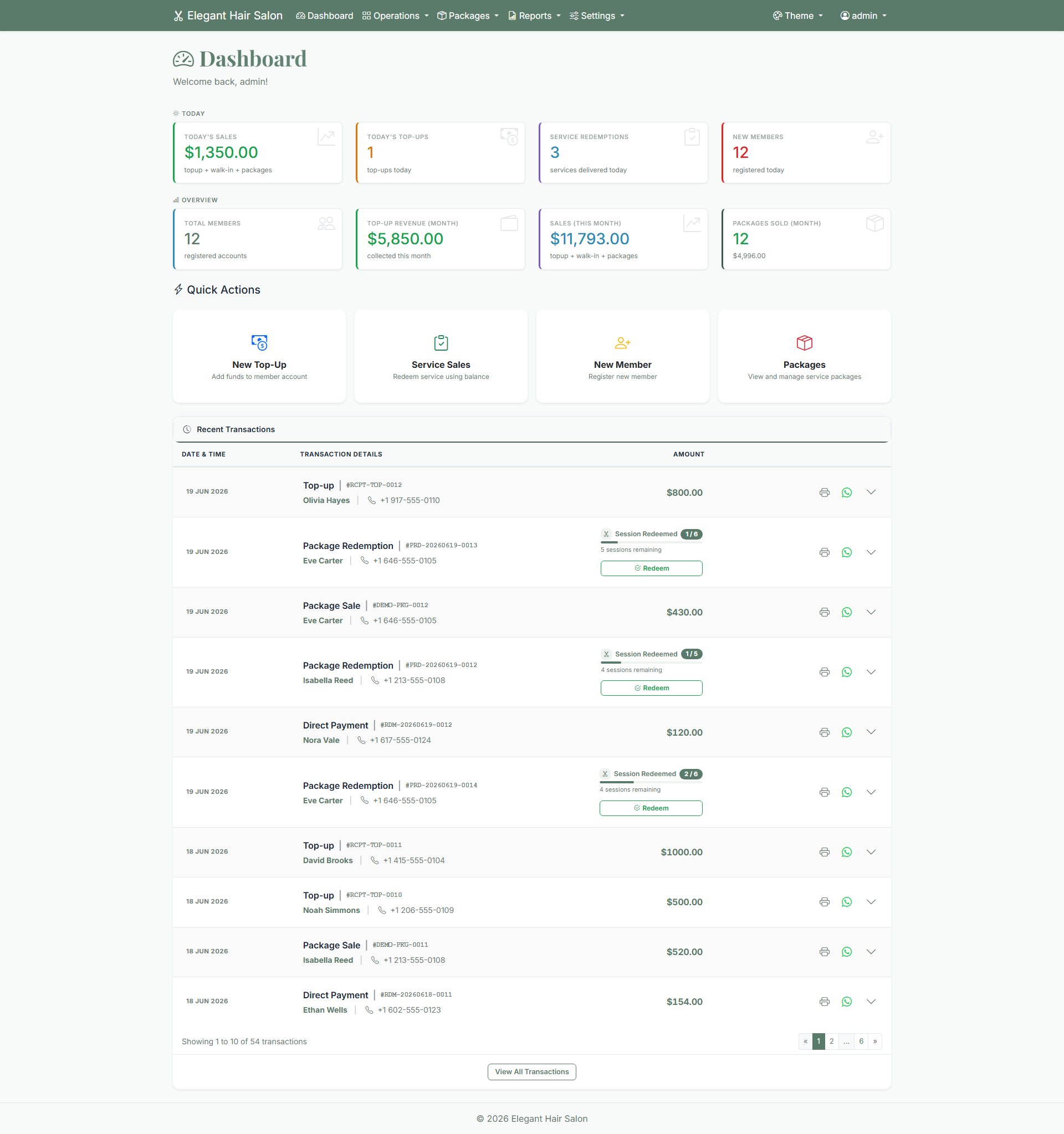
The first screen you see. It shows today's key numbers at a glance — sales, top members, a 30-day revenue trend, and a heads-up when a product is running low on stock. Everything is live; refresh the page for the latest.
👤Members
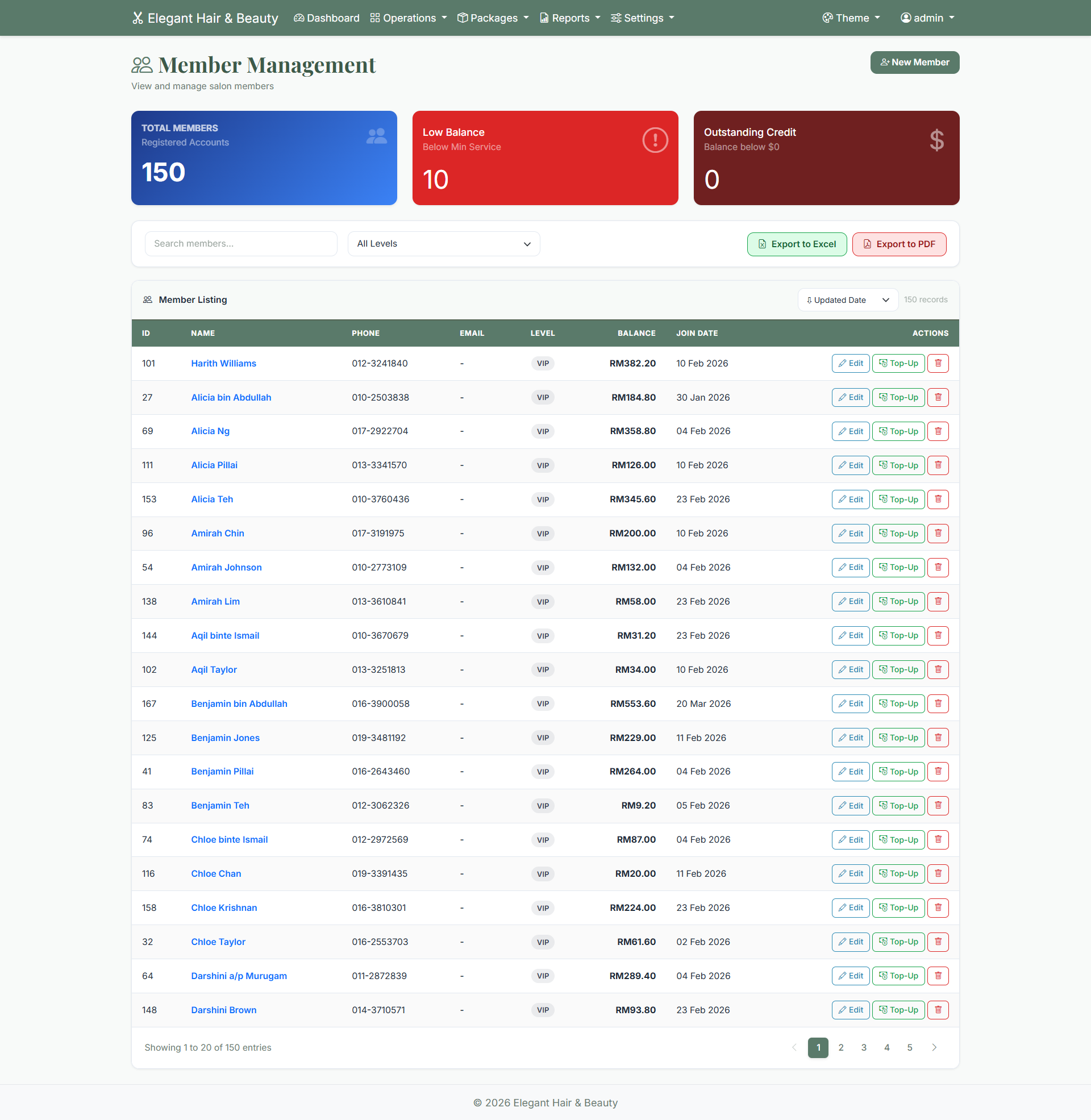
The heart of the system. Every member has a wallet balance, a membership tier (Bronze, Silver, Gold, Platinum) and a full history of everything they've bought.
- Add a member: Members → Add Member. Only a name and phone number are needed.
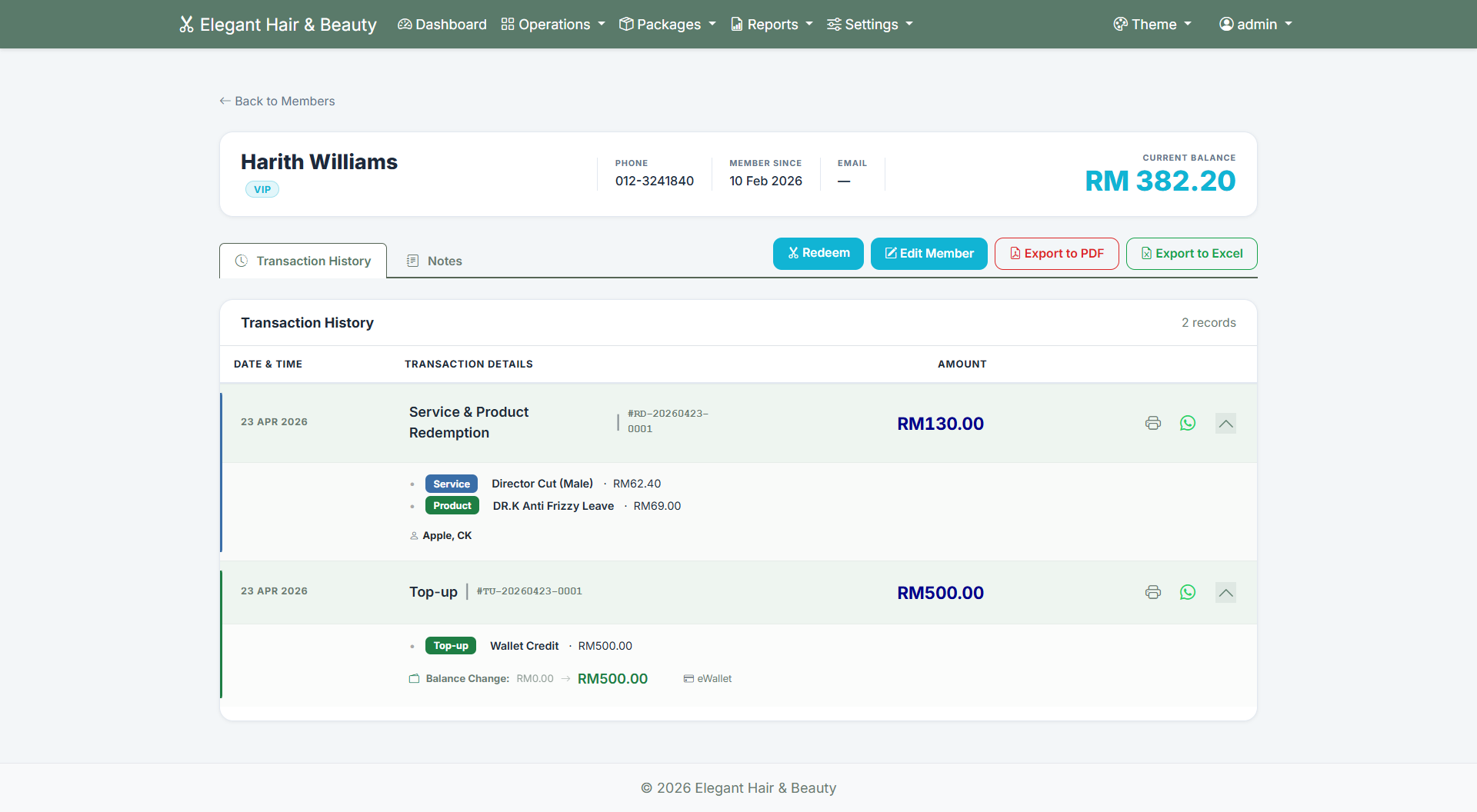
- See their history: click a member's name to view every top-up and visit.
- Tiers move up automatically as a member spends more over time.
- Export your member list to Excel anytime.
💳Top-up & wallet
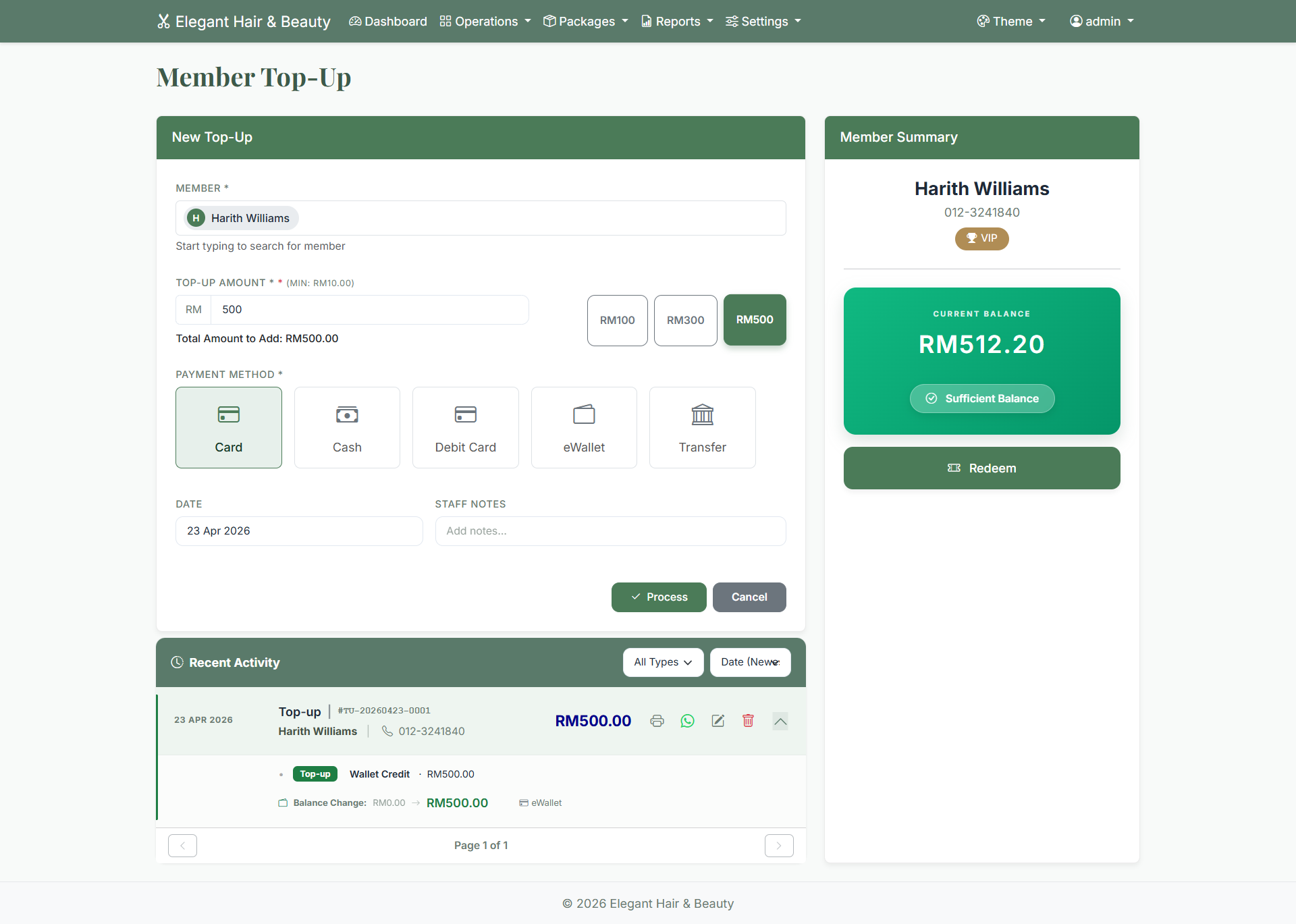
Members prepay into their wallet, then spend it on visits. When you top up a wallet, the system can add a bonus automatically (you decide the bonus %), and a receipt is ready to print straight away.
- Record how they paid — cash, card or transfer.
- Every top-up is saved to the member's history and the transactions list.
📦Packages
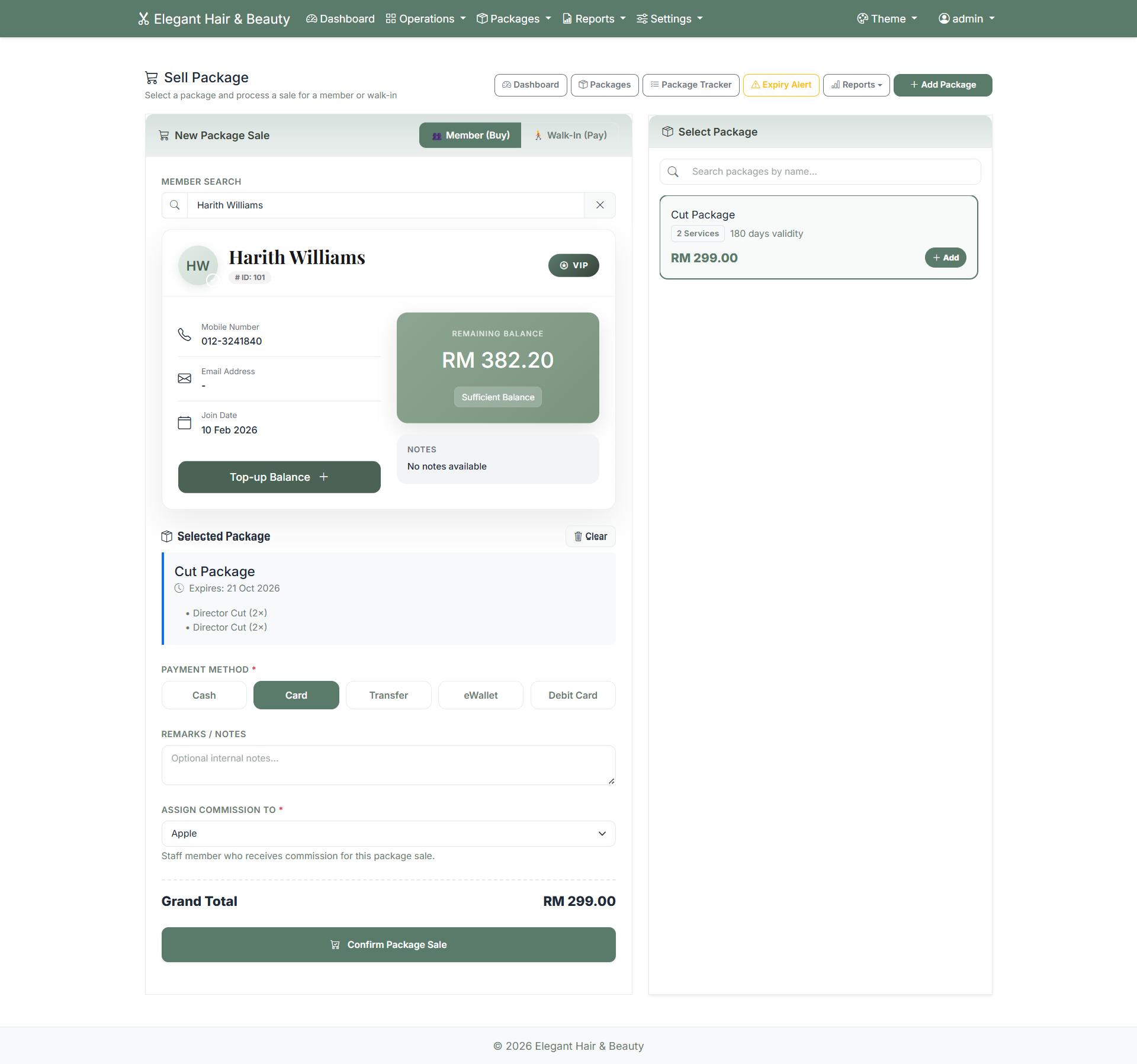
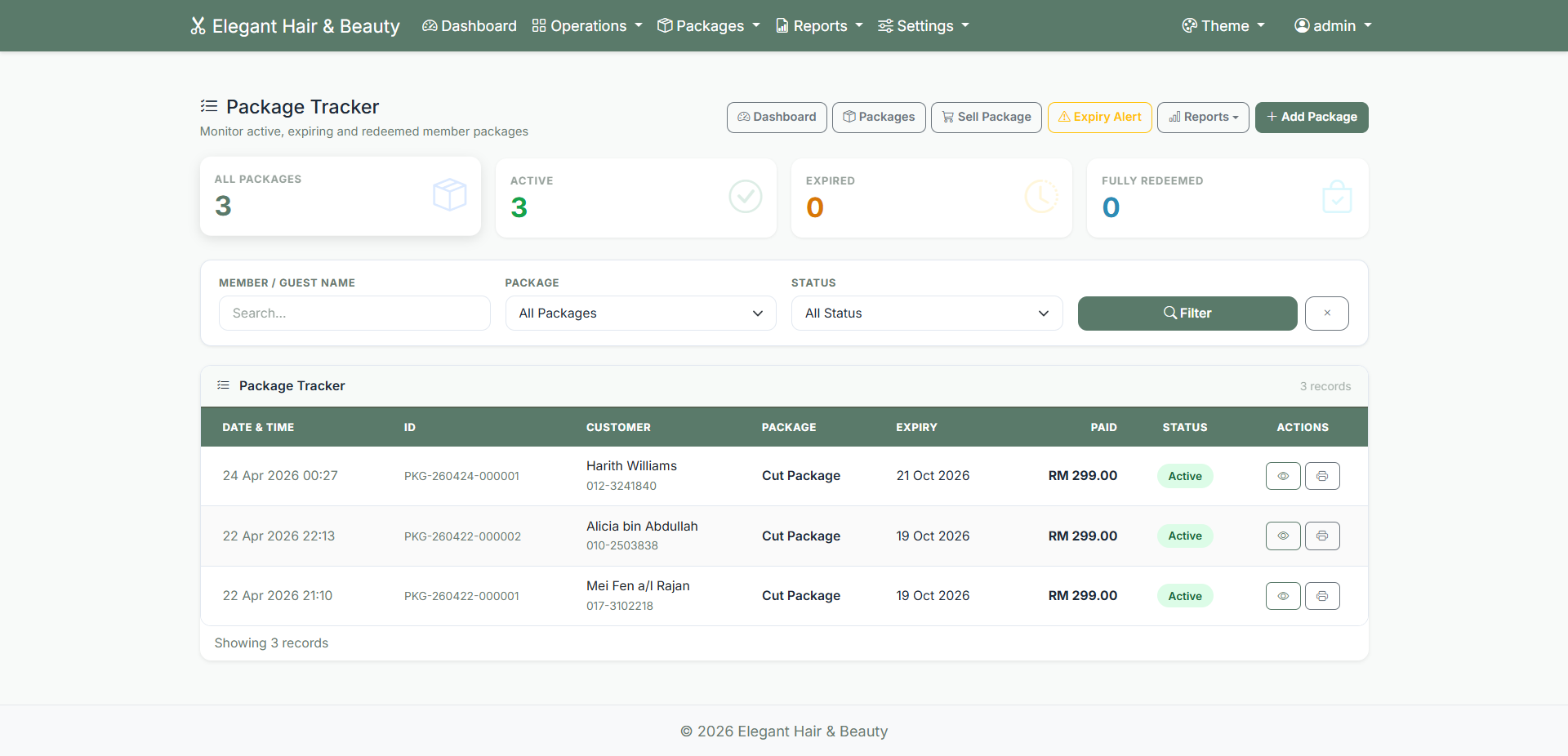
Sell a bundle of sessions up front — for example "Hair Spa × 10". The member pays once, and the system counts down the sessions as they're used, so the remaining balance is always clear.
- If several staff work on one visit, each is credited for their part.
- Commission can be paid at the sale, at each session, or both — your choice.
✂️Service sales
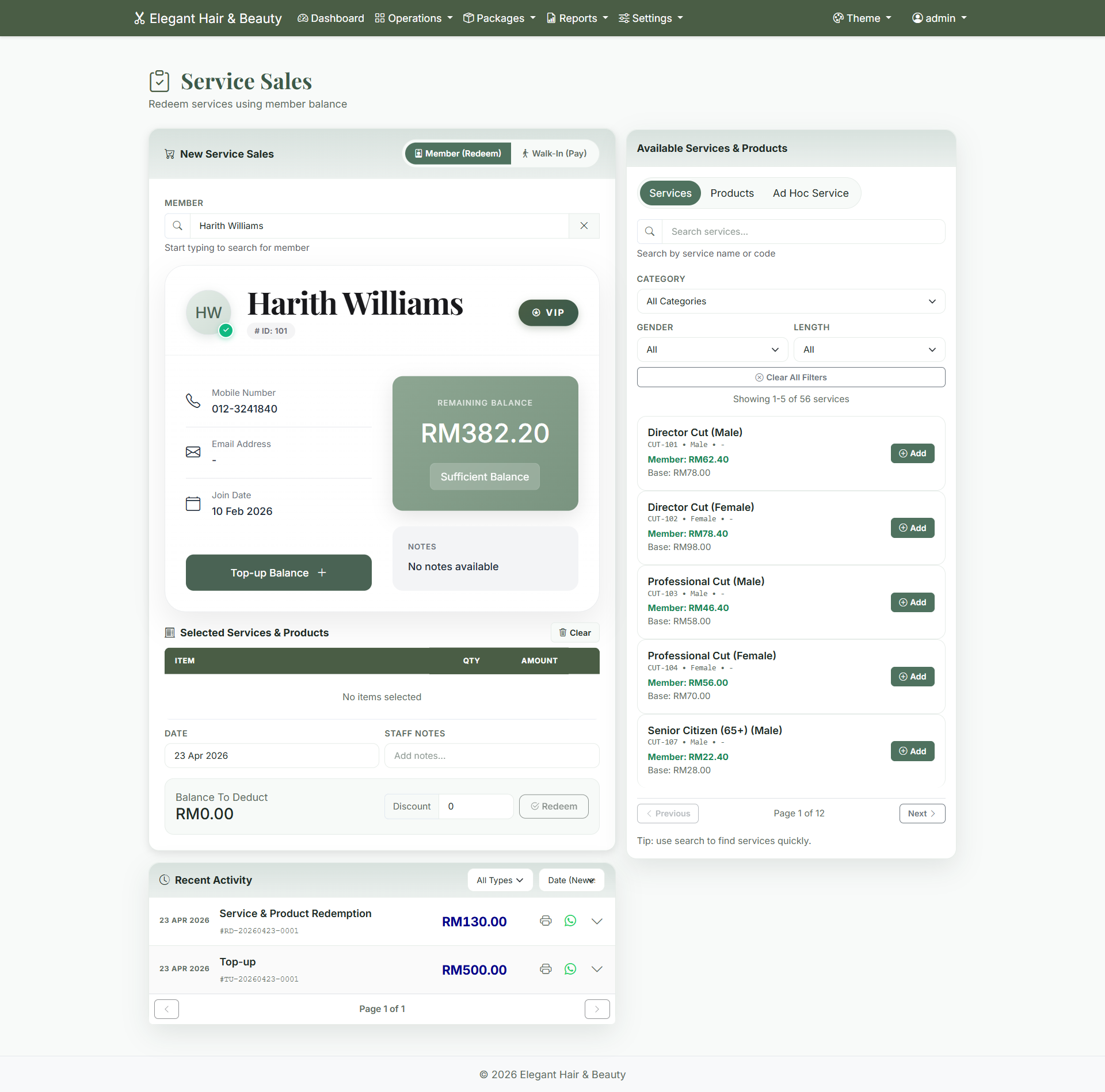
When a member comes in, charge their services to their wallet. Add as many services as you like to one visit, pick the staff who did the work, and a clear receipt is produced. The staff member is automatically credited their commission.
Once a sale is saved, its commission is locked to that sale — so your records and what you pay staff always match.
🧴Products
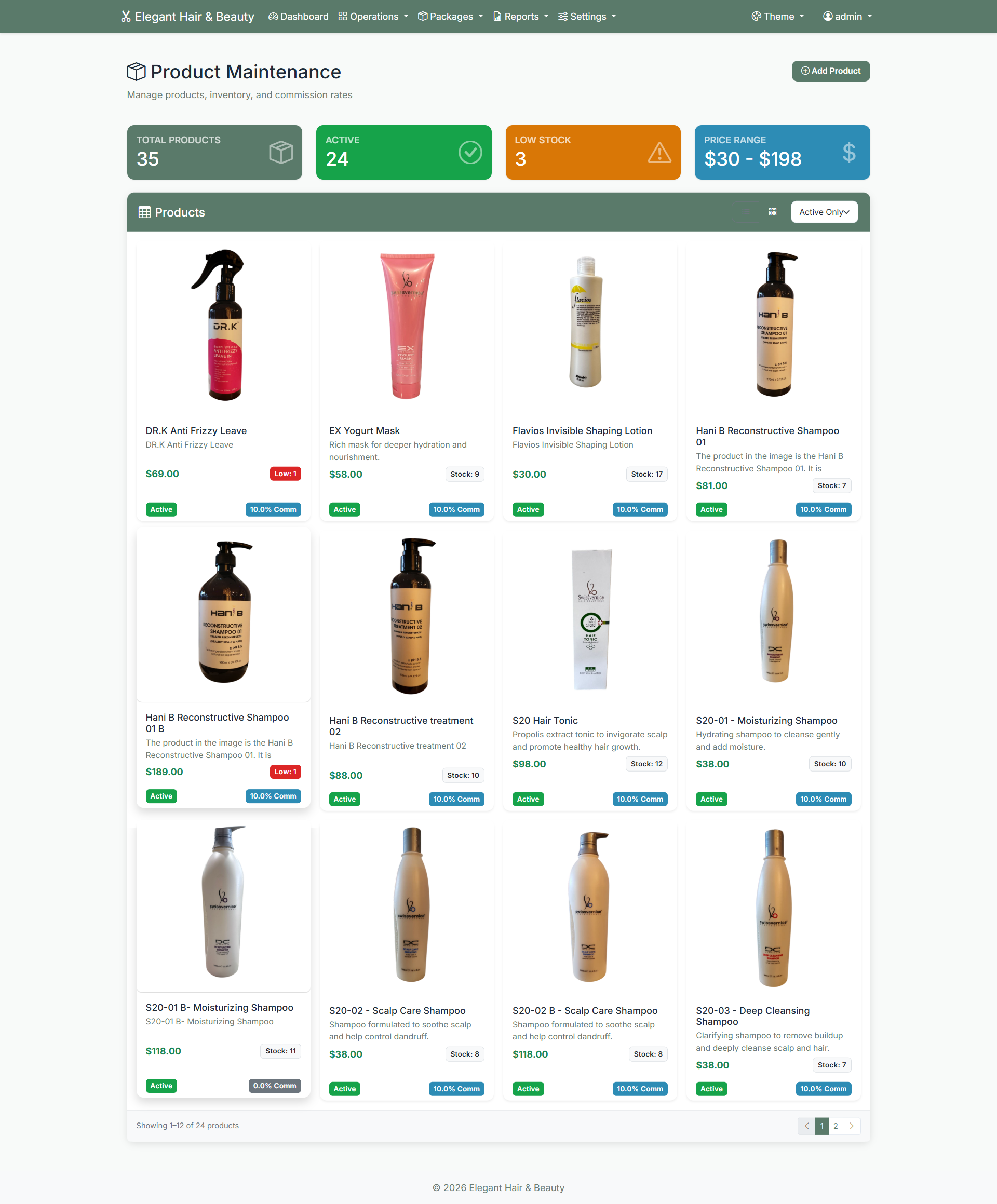
Sell retail items — shampoos, treatments, accessories — alongside services. Each product tracks its own stock, and the system warns you when something's running low so you can reorder in time. Product sales show up in your reports too.
📈Reports
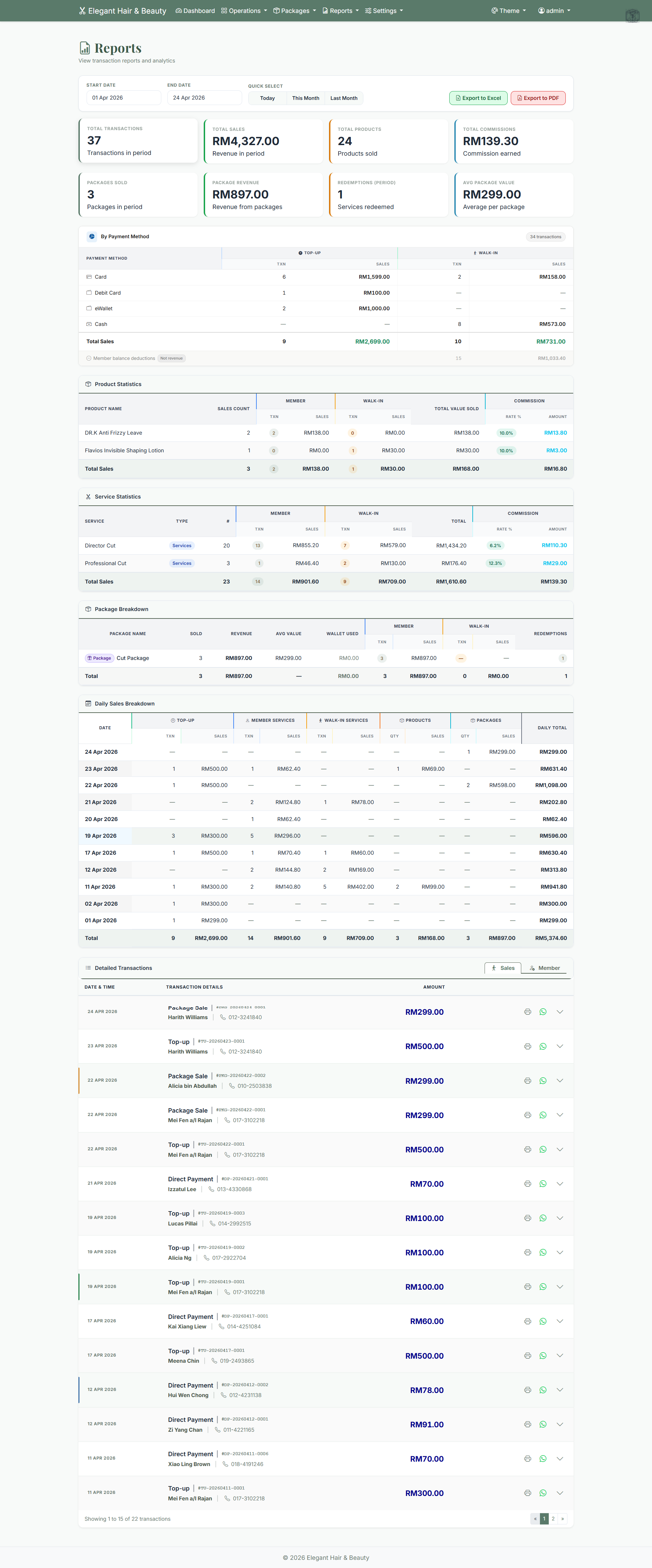
Pick any date range and export to PDF or Excel. The reports you'll use most:
- Revenue — daily or monthly sales, split by payment method.
- Transactions — every top-up and visit in detail.
- Package sales — how much your packages brought in.
- Commission — what each staff member earned, summarised or line by line.
💰Commission
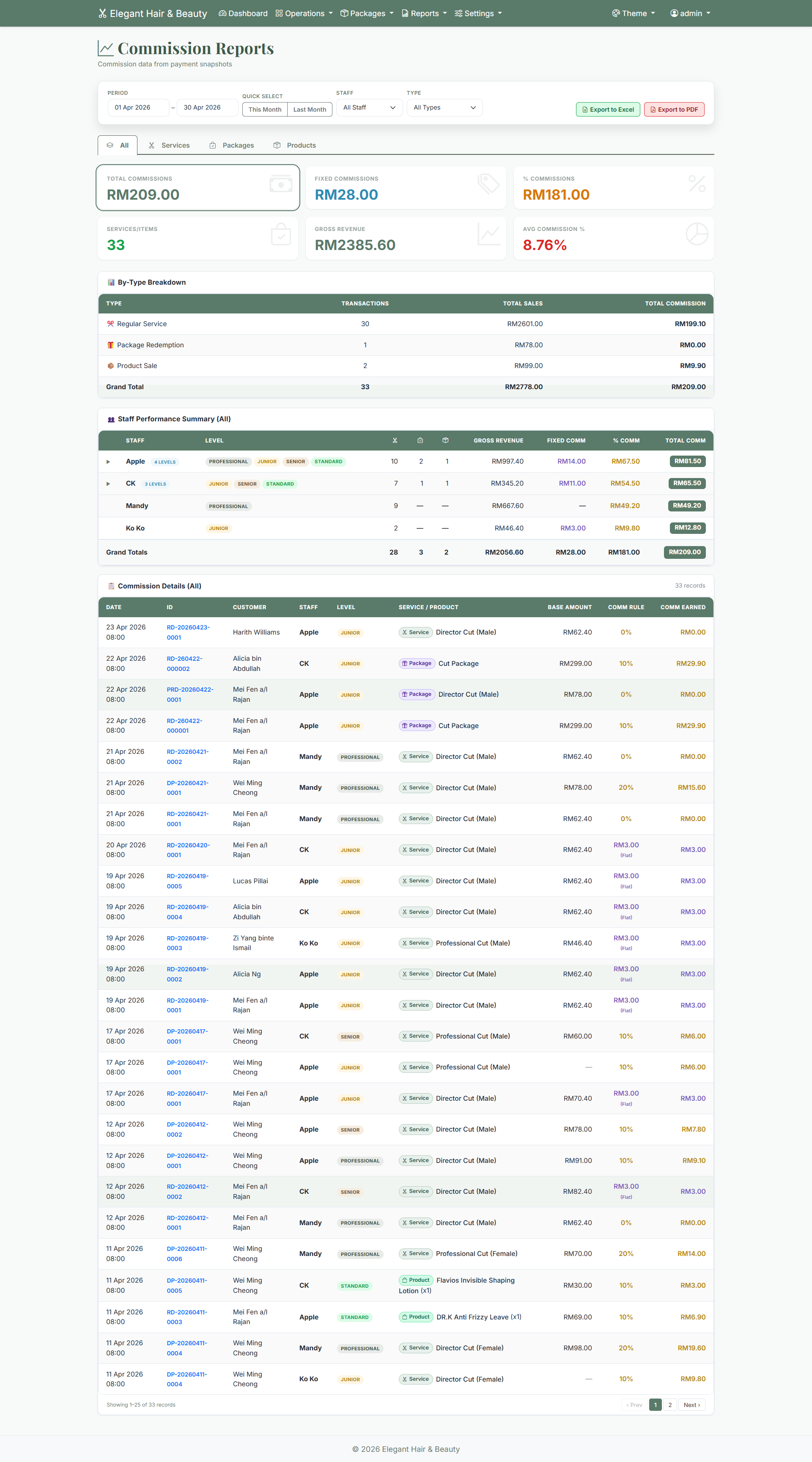
Staff commission is worked out for you, so payday is no longer a calculator-and-notebook job. There are three simple ways to set it up:
- Per service — a rate based on the services done.
- Per package — a share of the package price at the sale.
- Both — a bit at the sale and a bit per service.
Set your rates in Settings → Commission Rules — a default for everything, or specific rates per service or category.
🧑🤝🧑Staff & access
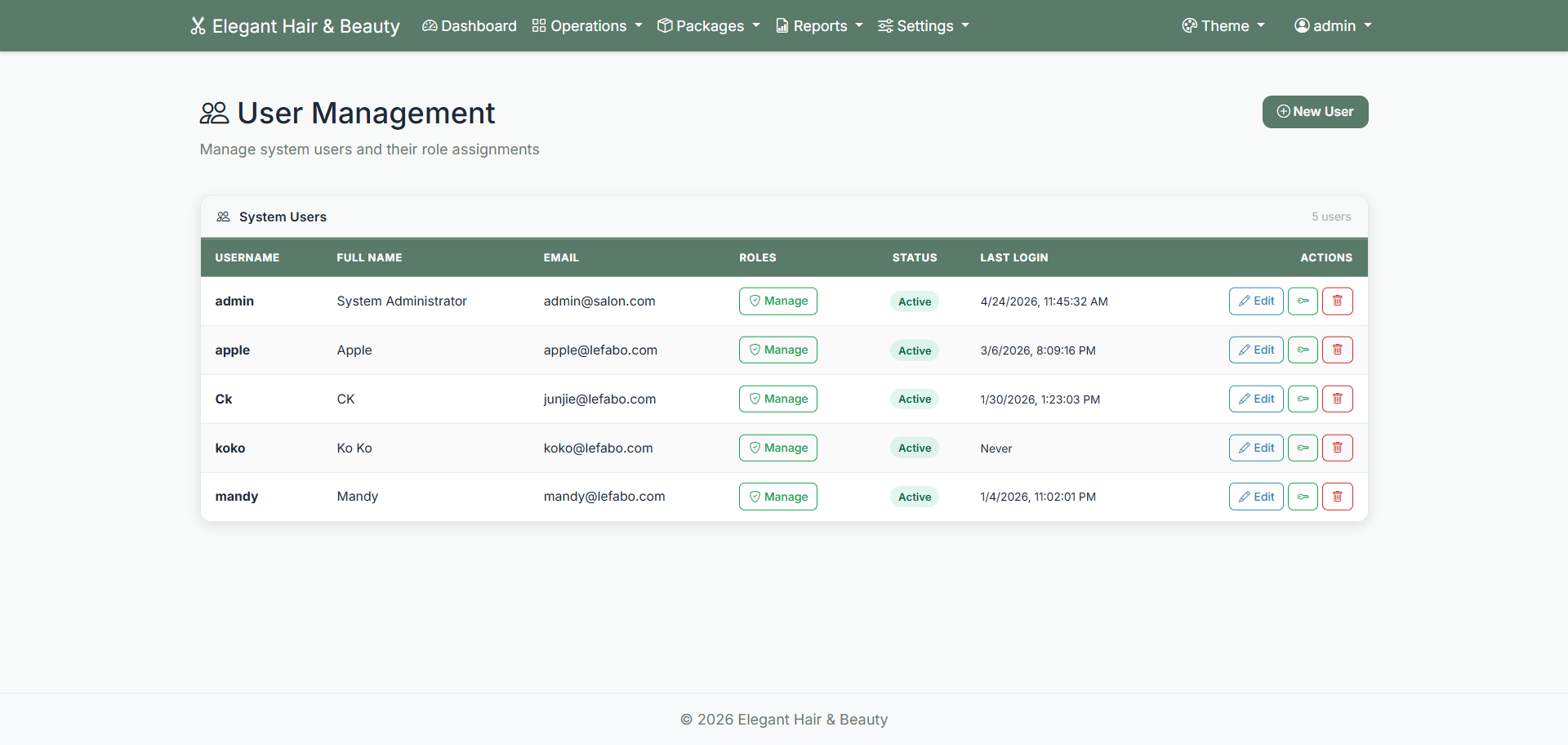
Add your team under Admin → Users, and decide exactly what each person can see and do. Three ready-made roles cover most salons:
| Role | Can do |
|---|---|
| Administrator | Everything, including settings and staff. |
| Manager | All day-to-day work; not system settings or staff. |
| Staff | Top-ups and service sales; can't see reports or commission totals. |
Need something in between? You can create your own roles and pick exactly which screens they unlock.
⚙️Settings
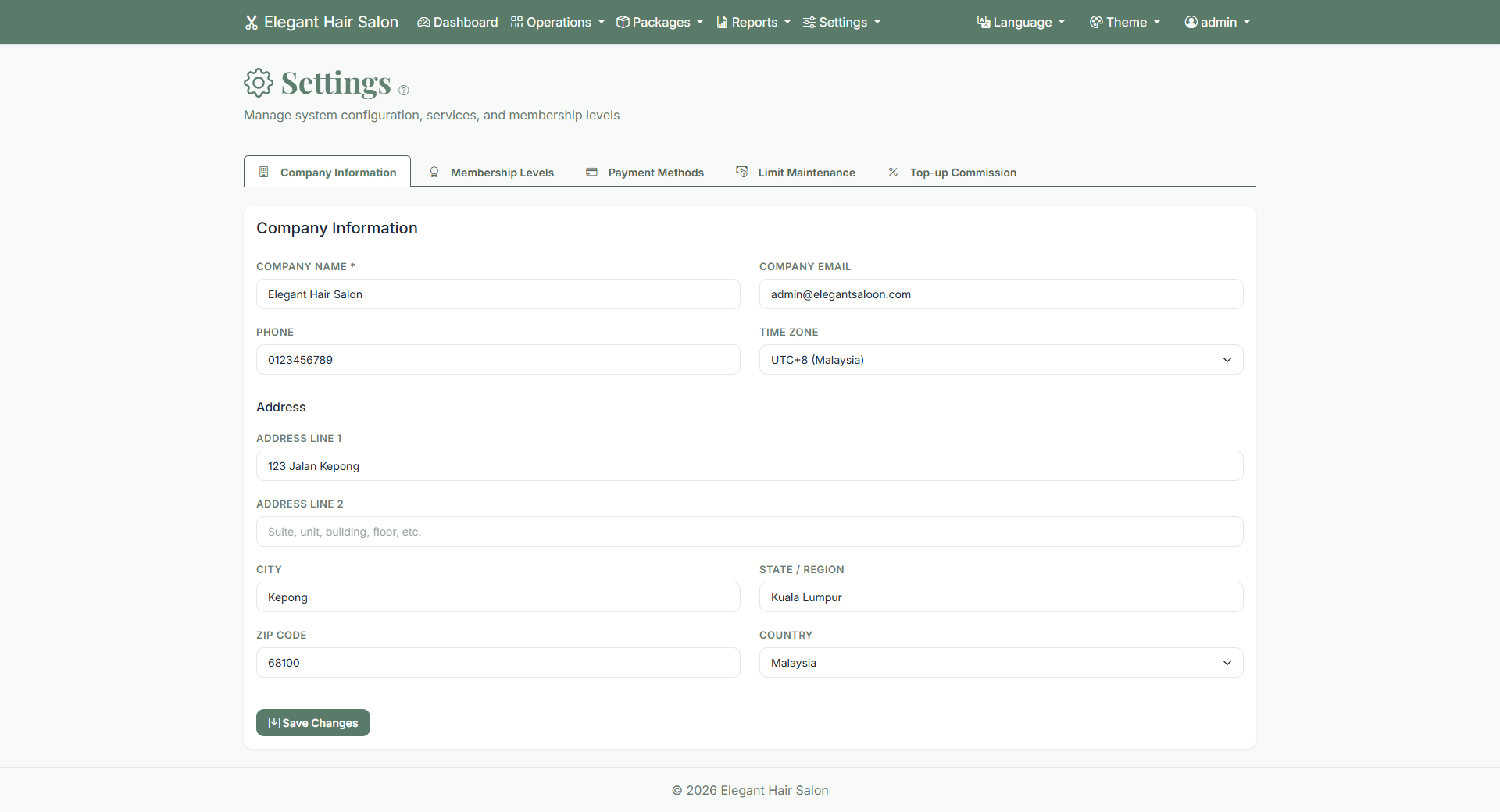
Under Settings you control how the system looks and behaves:
- Company settings — salon name, logo, phone, address (these print on receipts and reports).
- General settings — currency, date format, theme, bonus %, and receipt defaults.
- Changes take effect right away — nothing to restart.
🎨Themes
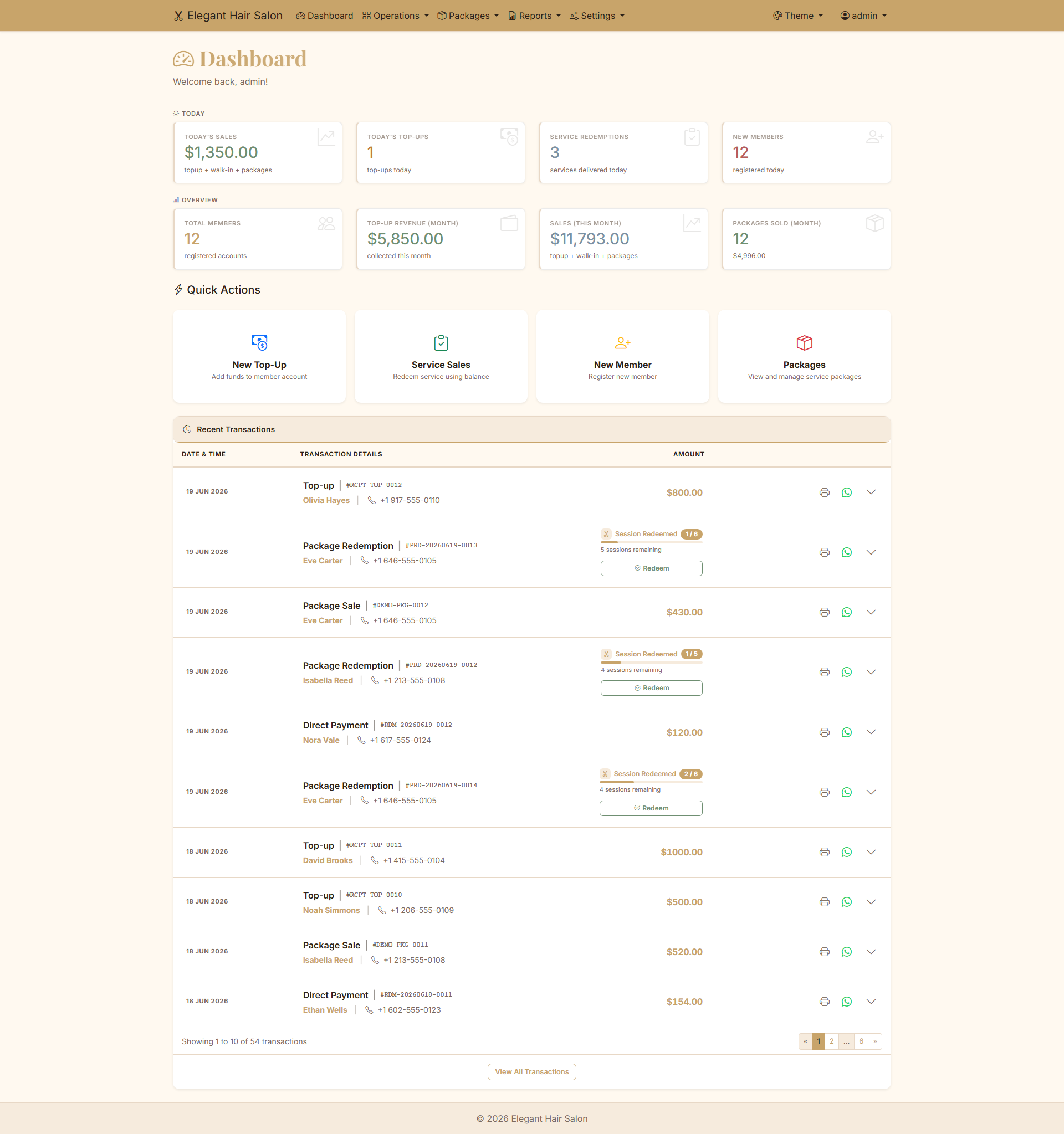
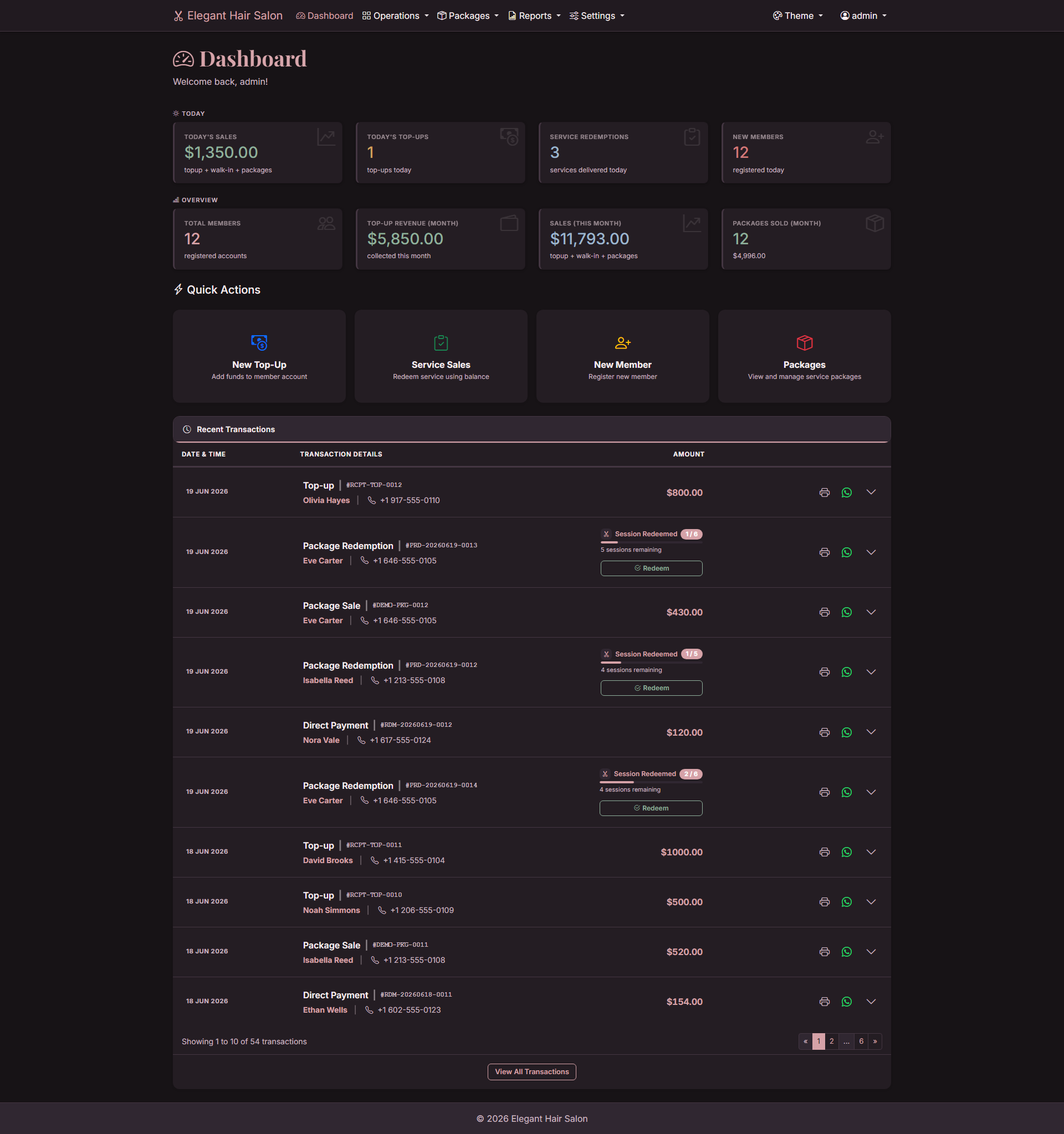
Pick the look that matches your salon. The whole system restyles instantly — choose one in Settings → General Settings. Here's the same dashboard in each theme (click to enlarge):
🏷️Pricing & fees
We charge no software licence fee — but there is a care fee.
You're not renting the software. Once it's built the system is yours to own, and it never gets switched off on you. There are still real costs to build it and keep it online and looked after, listed below, so you always know exactly what you're paying for.
| Item | What it covers | How it's billed | Fee |
|---|---|---|---|
| System setup | Deployment to your server, member & package balance import, staff training, full handbook. | One-time | RM3,800 RM2,800 founding price |
| Domain + web hosting | Your web address (e.g. yoursalon.com) and the server that runs it. | Yearly | RM500/yr RM200 first year for founders (domain free) |
| Care fee | Server maintenance and monitoring, daily backups, WhatsApp support, bug fixes, updates, LHDN e-Invoice changes, one small change a month. | Monthly · 12-month minimum | RM150/mo locked for life for founders |
In short: one-time to build it and own the software, then a flat monthly care fee, plus a yearly domain & hosting cost. No software licence fee, and no surprise charges.
Founding customer package (first 3 salons): RM2,800 setup (usually RM3,800) + a free salon brand website (usually RM1,800) + a free first-year domain, with hosting at RM200 (usually RM400), with the RM150/month care fee locked for life. Year one comes to RM4,800, payable over 12 months at RM400 a month; from year two it is RM150/month care plus RM500/year domain & hosting.
Want exact figures for your salon? Message us for a quote.
FAQ
Can my staff use it on a phone or tablet?
Yes. It runs in any web browser, so phones, tablets and computers all work.
Is “no licence fee” the same as free?
No. It means you own the software instead of renting it — we charge no licence fee. You still pay once to set it up, plus a monthly care fee and a yearly domain/hosting cost (see Pricing & fees). The difference: with SaaS, the day you stop paying the system shuts off and your data sits with them. Here, if you stop paying, the system and your data stay on your server — there's just nobody maintaining it.
Who owns my data?
You do. Everything lives on your own server, never a third-party cloud.
I forgot the admin password.
Message us and we'll reset it for you securely.
Can I switch between English and Chinese?
Yes — the whole system switches language in one click, and so does this handbook.
What does maintenance include?
Server maintenance and uptime monitoring, daily backups, WhatsApp support during business hours, bug fixes and security updates, keeping up with LHDN e-Invoice rule changes, and one small change a month (copy, price list, report fields). RM150/month, 12-month minimum.
Need a hand?
We're happy to help with setup, a quote, or any question about the system.